





If you use Claude every day, you’ve probably met the message that you’ve hit your limit, usually in the middle of something important. Claude Pro and Max plans have two limits running at the same time: a 5-hour session limit and a weekly limit, and on some plans separate weekly limits for individual models. Claude’s settings show how much of each you’ve used. What they don’t show is the question that actually matters: at the pace I’m working, when will I run out?
We kept running into this in our own studio, so we built a small Mac app to answer it. It’s called ClaudePace, it’s free, and this post explains how Claude’s limits work, how to keep track of them and what the app does.
How Claude usage limits work
- Session limit (5 hours). A rolling window that starts with your first message. Heavy work in Claude Code or long chats with large files uses it up fastest.
- Weekly limit (7 days). A cap on total usage across the week, shared by chat, Claude Code and other Claude apps.
- Per-model weekly limits. On some plans, individual models have their own weekly cap on top of the overall one.
- Extra usage. If you’ve turned on paid extra usage, anything past your plan is billed in dollars.
Each limit resets on its own schedule, so a percentage alone doesn’t tell you much. 31% of your weekly limit is fine on day five, and a problem on day two.
How to check your Claude usage
The built-in way is to open Claude’s Settings → Usage page, which shows the current percentage and the reset time for each limit. It’s accurate but easy to forget: you only look once you’re already close to the limit.
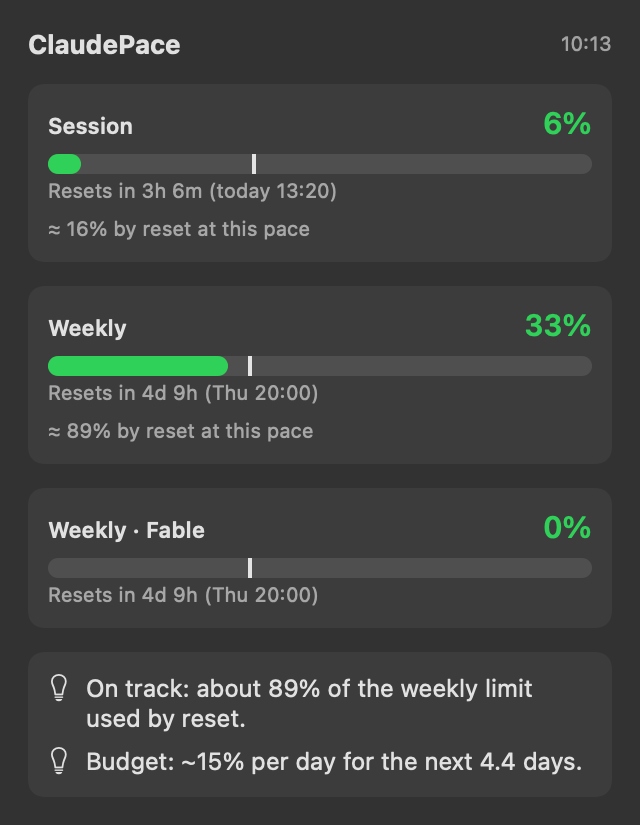
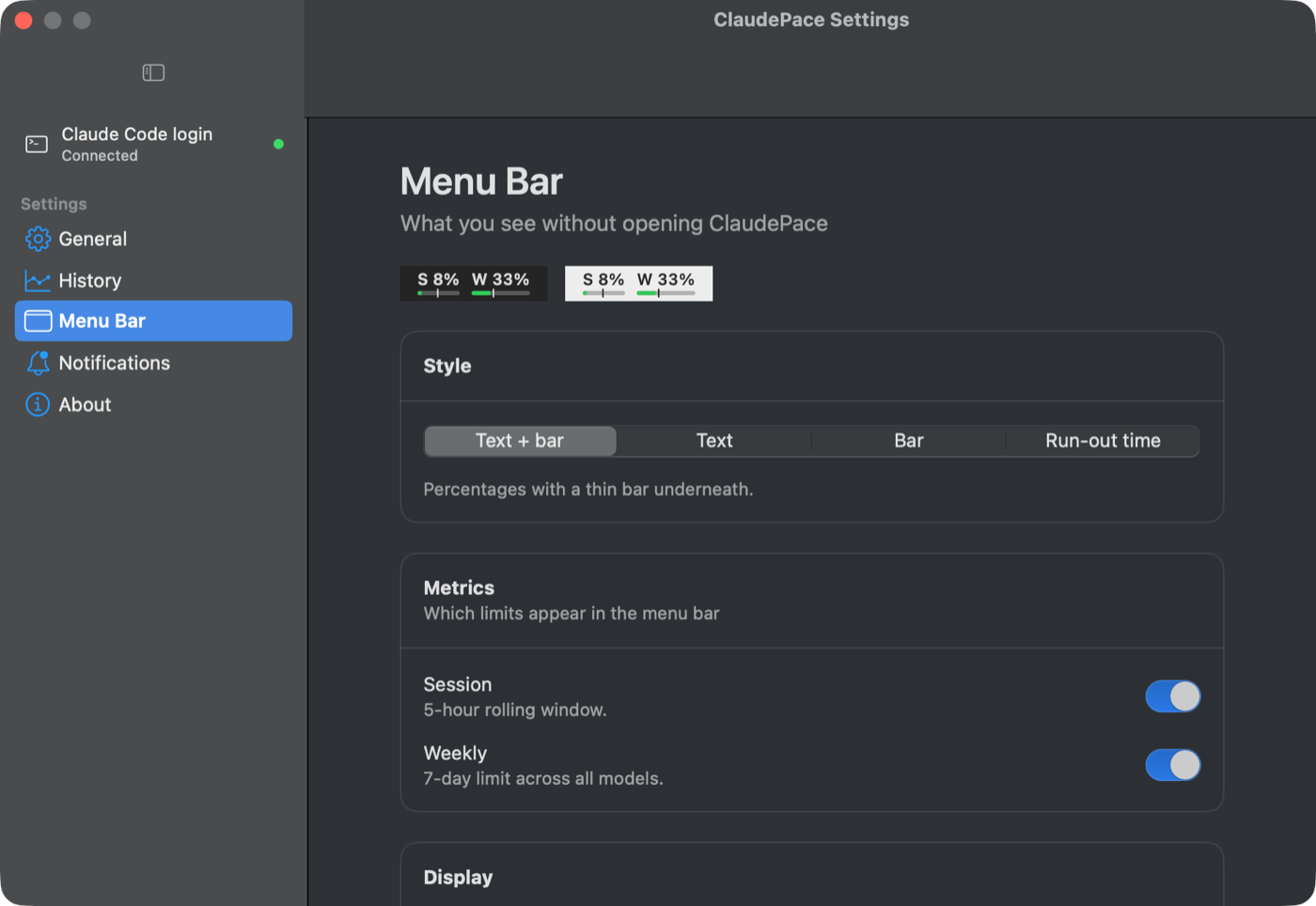
ClaudePace puts the same numbers in your Mac menu bar all the time (for example S 6% · W 33%), and adds a forecast.
What ClaudePace adds: a forecast, not just a percentage
ClaudePace compares how much you’ve used with how much of the window has passed, and projects the rest:
- Run-out forecast: “Runs out Tue 21:49 at this pace”, or how much you’ll have left at reset.
- Daily budget: your remaining weekly limit split across the days left, e.g. “~15% per day for the next 4.4 days”.
- Where it goes: which product (chat, Claude Code or others) is using most of your week, so you know where saving makes a difference.
- Per-model limits and extra usage: their own bars and forecasts when your plan has them.
- Useful alerts: a heads-up at 80% and 95%, and an early warning as soon as you’re on track to run out before the reset.
History and peak hours
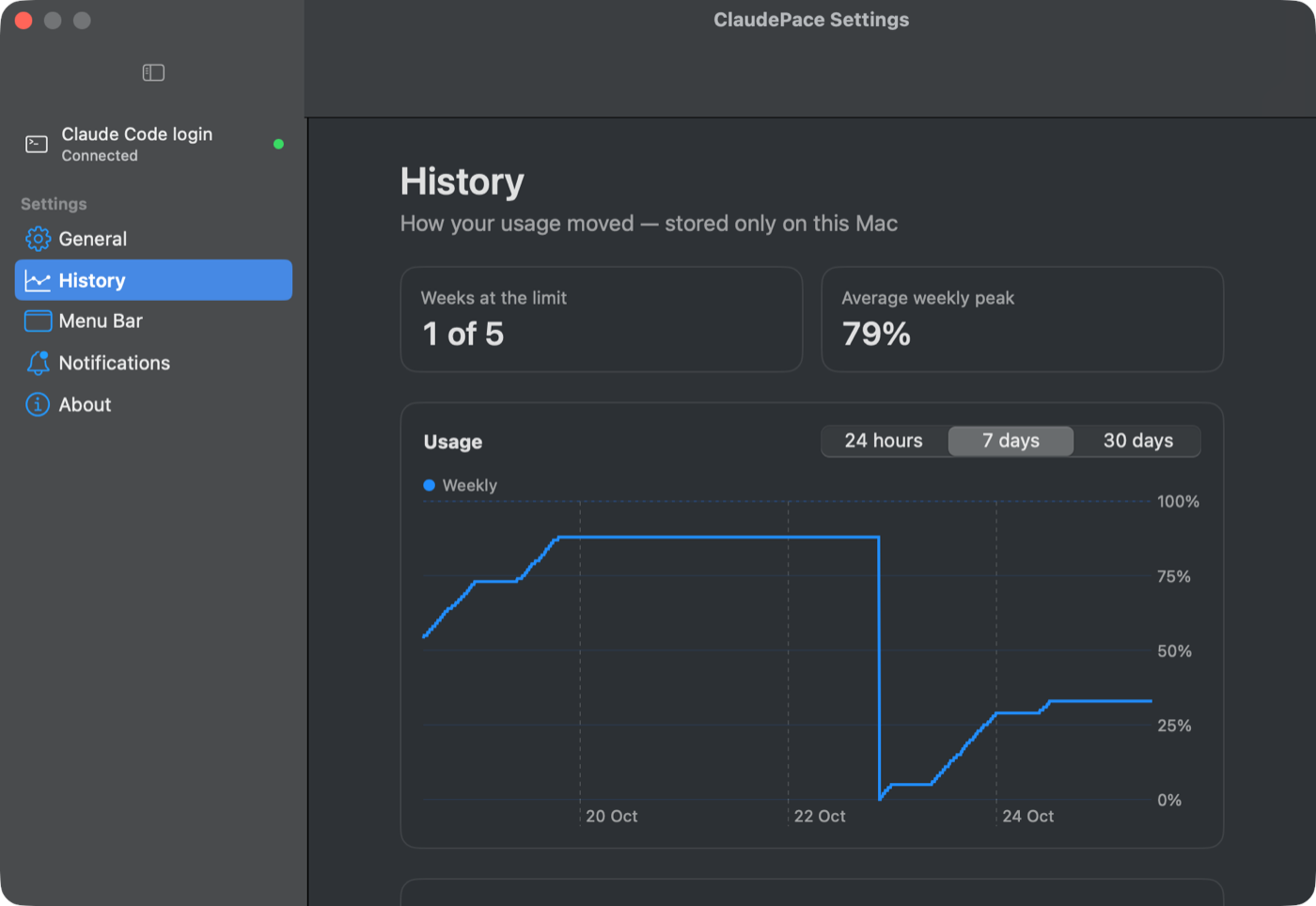
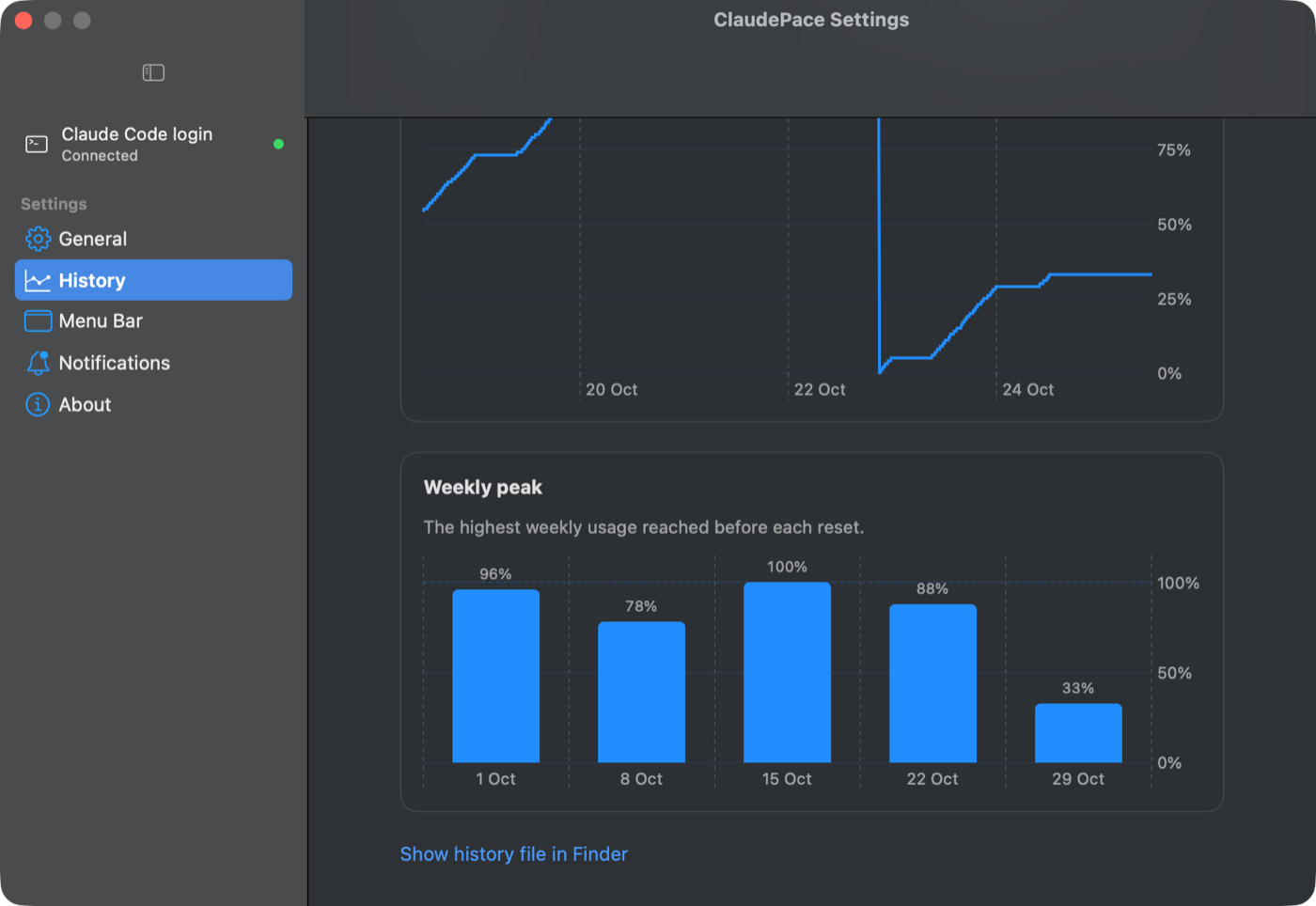
Over time, the app keeps a local history of your usage, so you can see how the week moved and when you use Claude most. All of it stays on your Mac.
For Claude Code users
If you work in Claude Code, ClaudePace can add your limits and forecast to the status line at the bottom of every session, so you see them without leaving the terminal. It’s one click to set up, and your existing settings are backed up first.
Private and lightweight by design
- Native Mac app (Swift and SwiftUI), about 3 MB, macOS 14 or later, Apple silicon and Intel.
- Your data stays on your Mac. The app talks only to Anthropic’s own servers, using the Claude Code login already on your computer. There’s no account to create and no analytics.
- Free to download from the product page, with automatic updates.
ClaudePace is an independent app and is not affiliated with Anthropic. It reads the same usage data that Claude Code uses, and the forecast is an estimate based on your current pace.
Why a video studio built a Mac app
Onemarsmedia is a production studio in London. A lot of our day-to-day work (scripts, edits, motion graphics, websites) now runs through tools like Claude, and running out of limit mid-project costs real time. ClaudePace started as a fix for our own workflow and turned out to be useful for anyone working the same way.
We build small, practical tools like this for businesses too: internal apps, automations and workflows that remove the repetitive parts of the job, set up and maintained by us. If there’s a task in your company that keeps getting in the way, tell us about it or book a free 15-minute call.
Related: Read how we help teams with AI for small business, or see the ClaudePace product page.

