Know when your Claude limit runs out. Before it does.
ClaudePace sits in your menu bar, reads your real usage and forecasts when your session and weekly limits will hit 100%. Plus plain advice to make them last.
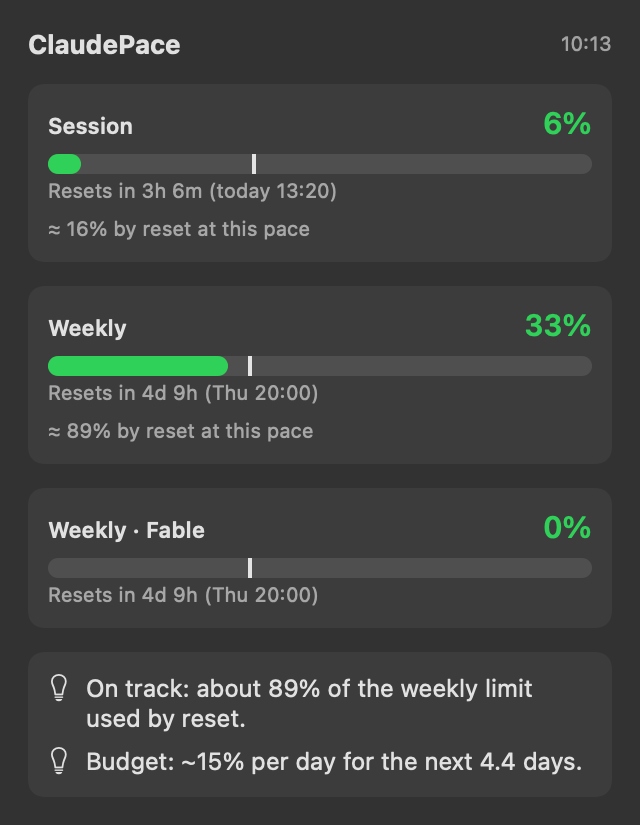
Percentages say where you are. ClaudePace says where you’re heading.
A bar at 31% looks fine. Until you notice it’s only day two. ClaudePace compares your usage with the time that has passed, projects the rest of the window and gives you a date: when the limit runs out, or how much you’ll have left at reset.
Small app. Useful answers.
Run-out forecast
A concrete date and time for when each limit hits 100% at your current pace, or how much you’ll have left.
Daily budget
Your remaining weekly limit split across the days left, so you know what “a normal day” means right now.
Where it goes
See which product eats your week (chat, Claude Code or others) and where saving actually matters.
Alerts that mean something
A heads-up at 80% and 95%, and an early one the moment you’re on track to run out before the reset.
Pace at a glance
Every bar has a tick for how much of the window has passed. Colour follows the forecast, not the raw number.
Native and tiny
Swift and SwiftUI, a 3 MB download that keeps itself up to date. No Electron, no background bloat.
Per-model limits
Separate weekly limits for individual models get their own bar and forecast, so a model cap never surprises you.
Extra usage in dollars
Spending past your plan? See what you’ve spent this month, where it lands by month end and when you hit your cap.
Claude Code status line
Your limits and forecast at the bottom of every Claude Code session. One click to add, with a backup of your settings.
See what you get.
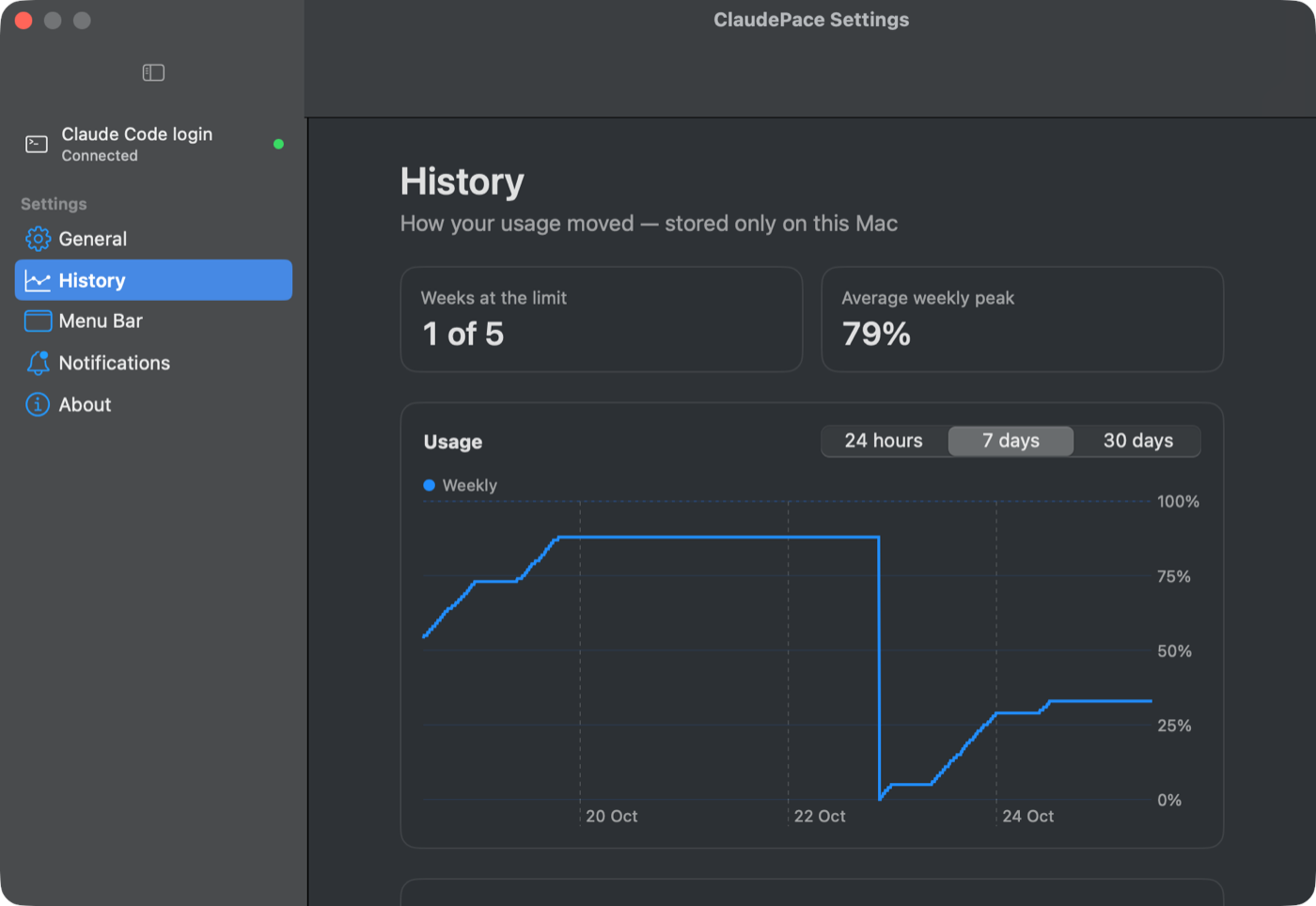
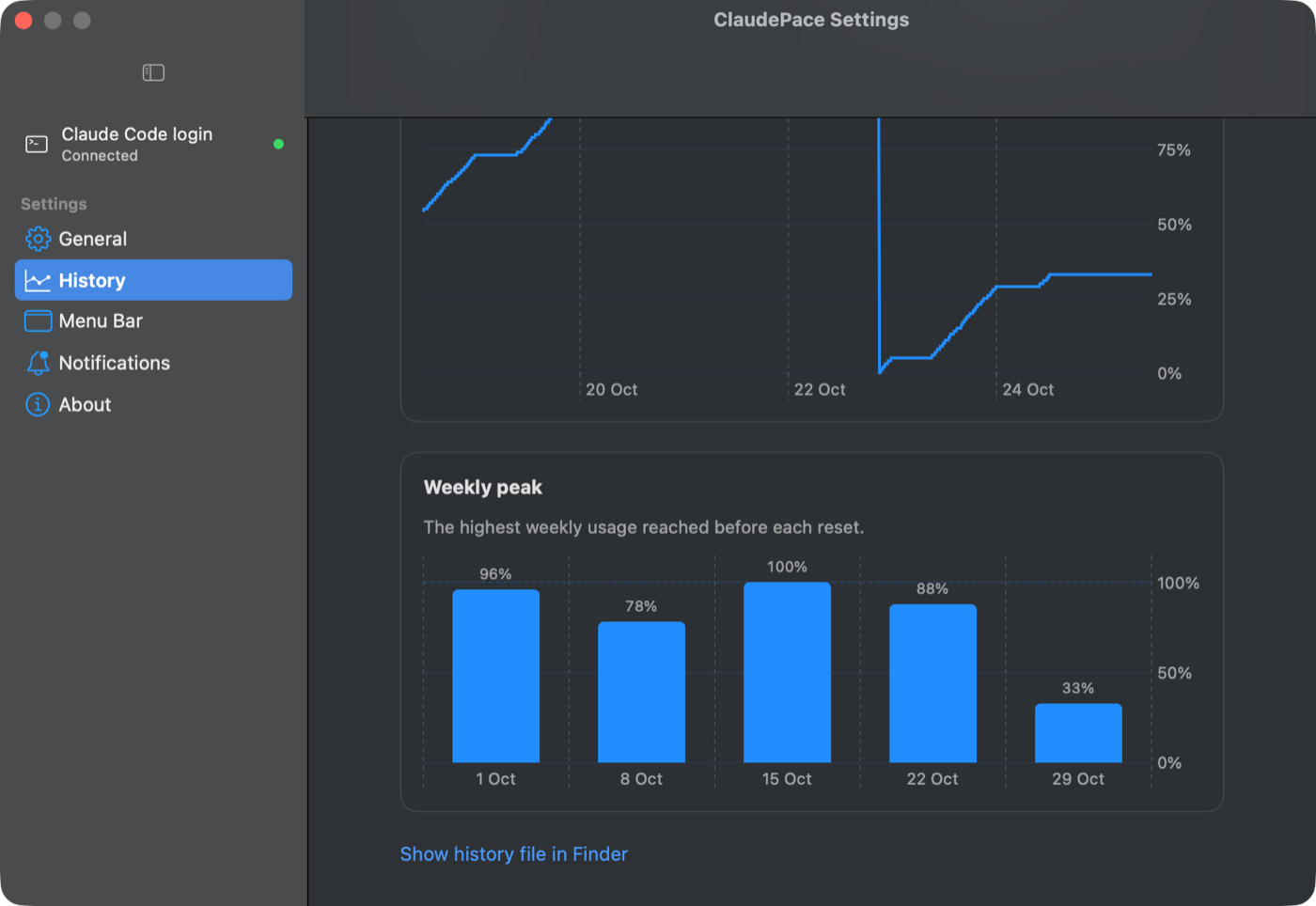
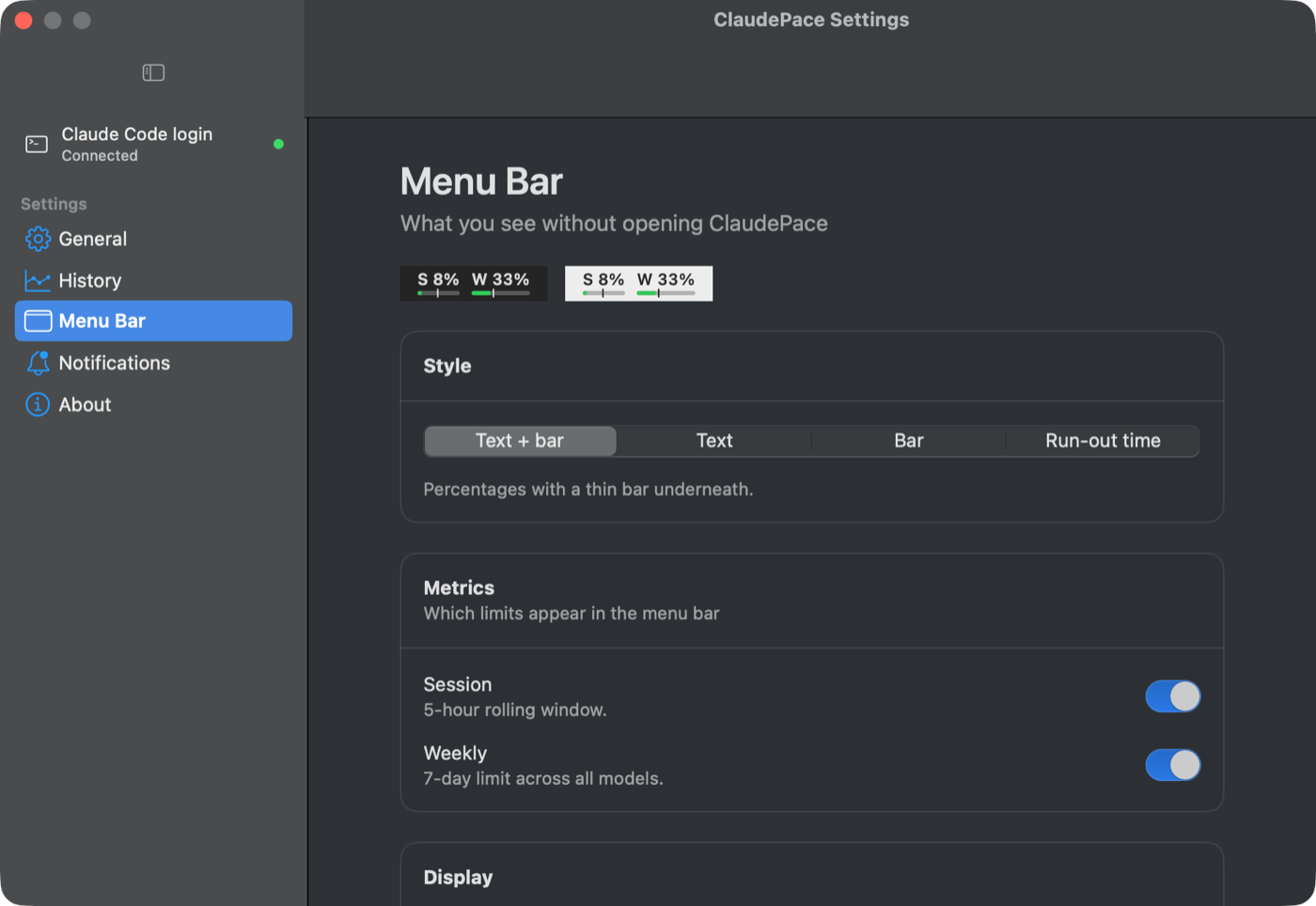
Your login never leaves your Mac.
- No account inside the app. It never sends your data anywhere.
- No analytics, no tracking, no cloud sync.
- Uses the Claude Code login already in your macOS Keychain. No browser cookies, no copied session keys.
- Checking usage doesn’t use any of your limit.
Up and running in a minute.
Download & unzip
Get the ZIP, open it and drag ClaudePace into your Applications folder.
Open it once
This preview isn’t notarized yet, so macOS blocks the first launch. Go to System Settings → Privacy & Security and click Open Anyway.
Be signed in to Claude Code
ClaudePace reads your usage through Claude Code. If you haven’t yet, install it and run claude once to sign in.
Signed and notarized builds are coming with v1.0. Then it’s a plain double-click.
Free. Pro when you want more.
- Session & weekly limits in the menu bar
- Run-out forecast and daily budget
- Usage breakdown by product
- 80% / 95% and run-out alerts
- Per-model limits and extra usage in $
- Claude Code status line, automatic updates
- Global shortcut (⌃⌥P), English & Polish
- Usage history and charts (free during the preview)
- Longer history, export and reports
- Smarter forecasts from your own patterns
- Weekly report and model-mix advice
- Multiple Claude accounts
Questions
Is ClaudePace made by Anthropic?
No. ClaudePace is an independent app and isn’t affiliated with or endorsed by Anthropic. It reads the same usage numbers Claude shows you, using your own login.
Which plans does it work with?
Claude Pro and Max subscriptions, as long as you’re signed in to Claude Code on the same Mac.
Does it use up my limit?
No. It only asks how much you’ve used and never sends prompts to Claude.
How accurate is the forecast?
It assumes you keep your current pace for the rest of the window. Early in a window it holds back until there’s enough data. Treat it like a fuel gauge: very good at warning you, not a guarantee.
How do Claude’s usage limits work?
Pro and Max plans have a 5-hour session limit and a weekly limit running at the same time, and some plans add weekly limits per model. Our guide explains it in full: how to track your Claude usage limits on Mac.
Windows or Linux?
Not yet. ClaudePace is a native Mac app.